Skip to content
Codewyz SupportCodewyz Support
  • Eduwyz
  • -
  • -

Course Management

6
  • Collections
  • Add A Question
  • Add A Quiz
  • Adding A Lesson
  • Editing A Course
  • Adding A Course

Managing Posts

2
  • Editing A Post
  • Adding A Post

Managing Media

2
  • Deleting A Media File
  • Adding Media Files

Managing Pages

1
  • Managing Pages

Managing Comments

1
  • Managing Comments

User Management

3
  • User Profile
  • Editing A User
  • Adding Users
View Categories
  • Home
  • Docs
  • Eduwyz
  • Course Management
  • Editing A Course

Editing A Course

< 1 min read

Sometimes you might want change information on a course that is already published and to this you either use the quick edit feature which allows you to change minor details or the full edit which allows you to change anything you want.

Quick Edit #

Click on Courses under LMS, a table of courses will open, hover over the course you want to edit and click on quick edit. A popup window will open allowing you to edit settings like Title, Date, Author and Categories. Click on Update button to complete the process.

Full Edit #

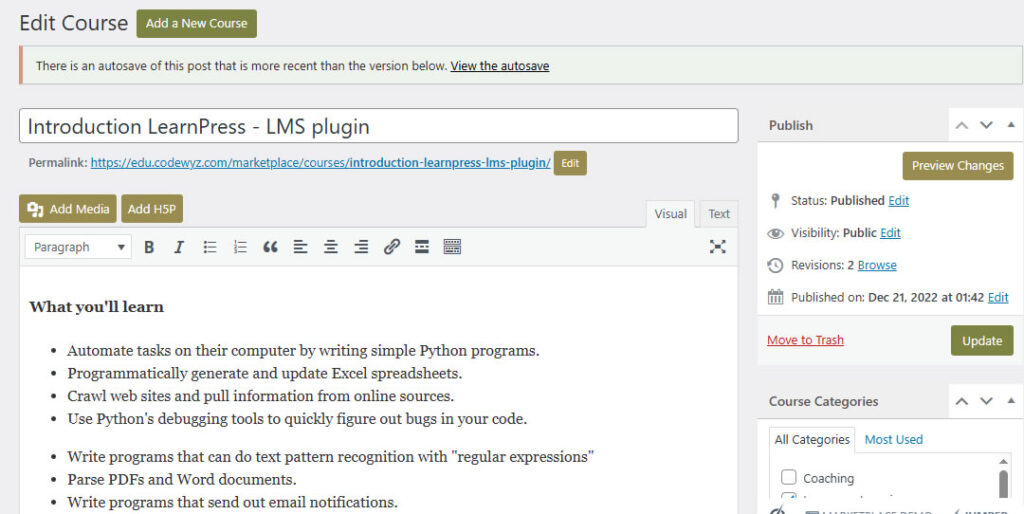
Click on Courses under LMS, navigate to the course you want to edit and click on its tittle, a course edit window will open. Change whatever you want and click Update button when you are done
 

Updated on May 3, 2025

What are your Feelings

  • Happy
  • Normal
  • Sad
Share This Article :
  • Facebook
  • X
  • LinkedIn
  • Pinterest

Leave a Reply Cancel reply

Your email address will not be published. Required fields are marked *

Table of Contents
  • Quick Edit
  • Full Edit
Copyright 2025 © Technofarm Online Industries
  • Eduwyz