Skip to content
Codewyz SupportCodewyz Support
  • Eduwyz
  • -
  • -

Course Management

6
  • Collections
  • Add A Question
  • Add A Quiz
  • Adding A Lesson
  • Editing A Course
  • Adding A Course

Managing Posts

2
  • Editing A Post
  • Adding A Post

Managing Media

2
  • Deleting A Media File
  • Adding Media Files

Managing Pages

1
  • Managing Pages

Managing Comments

1
  • Managing Comments

User Management

3
  • User Profile
  • Editing A User
  • Adding Users
View Categories
  • Home
  • Docs
  • Eduwyz
  • Course Management
  • Collections

Collections

< 1 min read

Collections is a number of courses grouped under one umbrella which forms a collection. An example of a collection would be something like National Diploma In Information Technology which could have course like Programming, Information Analysis, Network Security and part of the collection.

Adding A New Collection #

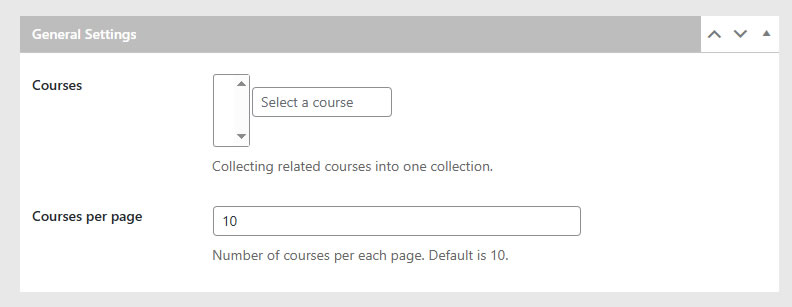
Click o hover over LMS and click on Collections, click on the Add New Collection button at the top and a screen for you to add collection information starting with Title, a Description of the collection and General Settings section for the collection. In the General Section, enter the  three or more letters of the course you want add and the course will show in the drop down menu for you to select. Repeat for all courses you want to add.
Updated on May 2, 2025

What are your Feelings

  • Happy
  • Normal
  • Sad
Share This Article :
  • Facebook
  • X
  • LinkedIn
  • Pinterest

Leave a Reply Cancel reply

Your email address will not be published. Required fields are marked *

Table of Contents
  • Adding A New Collection
Copyright 2025 © Technofarm Online Industries
  • Eduwyz